Cloudflare AI Bot Rules: Stay in Search, Opt Out of Training
Cloudflare split AI bots into search, agent and training classes. Read which setting suits your business and which mistakes to avoid, step by step.
rabbitclip teamPublished: 7 min read
Short answer
For a business whose site sits behind Cloudflare, the sensible setting is often this: allow search bots and switch off the bots that collect content to train AI models. In its post of 15 September 2026, Cloudflare introduced a new option for this called Disallow AI Training. Under it, accountable mixed-use crawlers keep crawling for search, while other training crawlers are blocked. The choice is yours and it has a cost: opting out of training stops your content entering models, whereas shutting out search removes you from the answers too.
Cloudflare's post of 30 September 2026 explains why this is in the news now. It says that, for the first time, more than half of internet traffic was not human. The share of crawl requests made for training rose from 22 percent in spring 2025 to 52 percent in June 2026. In other words, a large part of what arrives at your site is not a visitor but a collector of data.
Below you will find the three classes of bot, the new defaults, the way to stay in search while opting out of training, the settings on offer, the mistakes made most often and the cases in which this setting may be more than you need.
Why did Cloudflare split AI bots into three?
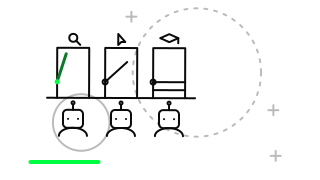
According to Cloudflare's post of 1 July 2026, AI bots fall into three classes. Search bots index content so they can answer later, and they are expected to send referral traffic in return. Agent bots act in real time on behalf of a person; in Cloudflare's words there is often a human waiting on the other end. Training bots gather content to train a model, and Cloudflare says that content is permanently absorbed.
The reason for the split is simple: one rule applied to all three gives the wrong result. Think of a bookshop. Someone who looks in the window and lists the shop in a guide is one thing, someone who buys a book on your behalf and walks out is another, and someone who photocopies the whole catalogue is a third. Cloudflare asks you to look at what each bot has come for.
- Search: indexes content and sends traffic back
- Agent: does a task in real time for a person
- Training: collects to train a model, and the content is absorbed for good
How did the defaults change from 15 September 2026?
On domains newly added to Cloudflare from 15 September 2026, Training and Agent bots are blocked by default on pages that show ads, while Search bots are allowed. So someone who puts a new site behind Cloudflare lands in this arrangement without doing anything.
On existing domains the settings stay as they were. The controls sit under Security settings and are available on every plan, Free included. Mixed-use crawlers such as Googlebot, Applebot and Bingbot are judged on all of their behaviour. Cloudflare is also trying out a `use=` signal in robots.txt; it describes this as an experiment, not a settled rule.
Can you stay in search and opt out of training?
According to Cloudflare's post of 15 September, you can, but the difficulty lies with mixed-use crawlers: the same bot may collect for search and for training. For that reason Cloudflare sets four conditions for an accountable mixed-use crawler, and only crawlers that meet them keep crawling for search.
The post describes the position of three large companies. For Apple, you disallow `Applebot-Extended`. For Google, you use `Google-Extended`, and there is also a switch in the webmaster portal for leaving generative search results. For Microsoft, a `NOARCHIVE` meta tag applies for now, and a domain-level robots.txt mechanism is named as a target for early 2027.
- A robots.txt-style opt-out from training
- An opt-out from AI summaries
- URL-level visibility of which pages are open to training, plus search metrics
- An assurance that opting out of training does not affect search results
Which Training option should you choose?
Cloudflare's post lists four options for Training. For most businesses the middle two are the ones to weigh: if you want to appear in search but keep your content out of models, Disallow AI Training points the right way. If you depend on advertising revenue as a publisher, Block on pages with ads is another option. Block also stops mixed-use crawlers, so it cuts off search as well.
According to Cloudflare, fewer than 1 percent of its sites block search bots, while 17 percent block training. So opting out of training is not unusual, and blocking search bots is rare. A feature called Bot Preference Sync keeps your robots.txt in line with these choices, and Managed Robots.txt is being retired.
- Allow: lets training bots in
- Disallow AI Training: stays in search, opts out of training
- Block on pages with ads: blocks on pages that carry ads
- Block: also stops mixed-use crawlers, so it cuts off search
What mistakes are made with these settings?
The most common mistake is choosing Block and discovering later that it closed off search as well. The second is changing a setting in Cloudflare without checking what robots.txt actually says. If the two layers disagree, the outcome is hard to predict; our robots and sitemap check shows the live state of your file in a few seconds.
The third is lumping Agent bots in with training bots. If an agent is acting for a person, blocking it may turn that person away at the door. The fourth is setting it once and never looking again; bots and rules change often.
- Choosing Block and not noticing that search is closed too
- Not checking whether Cloudflare and robots.txt contradict each other
- Treating Agent and Training bots as one thing and blocking both
- Setting it once and forgetting it
When are these settings unnecessary or the wrong choice?
If your site is not behind Cloudflare, these panel settings do not exist; you state your wishes through robots.txt and the tools on the hosting side. And if your content is meant to be spread as an open reference, for example an open knowledge source, opting out of training may work against your purpose.
There is also something we do not know: Cloudflare's posts do not say how opting out of training affects whether an AI model mentions you. If you are curious about your visibility, you can use our AI visibility tool to see how your brand appears in answers and review the setting accordingly.
In short: Cloudflare sorts bots into search, agent and training; on new domains Training and Agent are blocked by default, and on existing sites the settings are in your hands. If you want to stay in search while opting out of training, look at Disallow AI Training, then check your robots.txt. If you would like to talk through which setting suits your business, we are glad to have a discovery conversation with you at rabbitclip.
FAQ
Does this post matter if I do not use Cloudflare?
The settings live in the Cloudflare panel, so they do not apply directly. But the three classes of bot and the logic of stating preferences through robots.txt hold for any site. You should ask the same question about your own server.
If I opt out of training, will I drop out of search results?
According to Cloudflare, under Disallow AI Training accountable mixed-use crawlers keep crawling for search. Nobody can guarantee the effect on your ranking, and Cloudflare makes no such promise.
Did my existing site's setting change by itself on 15 September?
No. According to Cloudflare's post, the new defaults apply to newly added domains, and existing domains keep their settings. It is still worth looking at the panel once.
Can I be paid by AI companies for my content?
Cloudflare's 30 September post names Pay Per Use as a beta: the AI company reports its usage and Cloudflare invoices it. Pay Per Crawl, from 2025, charges for access. Monetization Gateway is still a closed beta.
Sources
The specific facts in this article rest on these official pages; check them for the current position.