Multi-Location Local SEO: Branch Pages, Profiles, Reviews
How multi-location local SEO works: one page and one business profile per branch, consistent details and a review routine. Common mistakes and limits.
rabbitclip teamPublished: 6 min read
Short answer
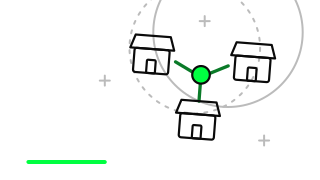
Multi-location local SEO means presenting every branch to search engines as a separate place: one page per branch, one business profile per branch, and the same name, address and phone number written identically everywhere. The goal is simple. Someone searching for a service near them should see the closest branch, with the right opening hours and the right phone number. A single home page that lists every branch does not achieve this, because search engines prefer to find each location on its own concrete page.
The difficulty begins as branches multiply. A routine that five locations can manage by hand falls apart at fifteen: one branch changes its phone number, another keeps outdated opening hours, a third never verified its profile. This article describes a structure that prevents that drift. We stay away from technical detail and focus on which decision affects what.
Picture a spa group with six branches across three cities, all under one brand name. Its success in local searches depends less on how well known the brand is and more on how clearly each branch is described as a place in its own right.
Does every branch need its own page?
Yes, if the branch has a real address, a phone line and staff, it needs a page of its own. A search engine answers a query by choosing a page, not a business. Someone searching for a dentist in a particular neighbourhood should land on that branch's page, and a list of branches on the home page does not do the job.
The page address should be readable and carry the branch name. The title should combine the service and the area. The page itself should show the address, a map, opening hours, a phone number, directions for visitors and details of the branch's own team or services.
What matters is that the pages are genuinely different from one another. The same text with only the area name swapped tells a search engine that there is nothing new to say here. Each page needs at least one piece of information that belongs to that branch alone.
What should a branch page contain?
A good branch page answers the questions a first-time visitor would ask. Directions, parking, how to book and which services that branch offers are the usual ones. This gives both the visitor and the search engine something concrete to work with.
The list below is a sufficient starting point for most businesses.
- Full address, map and phone number, written the same way everywhere
- Opening hours, including differences on public holidays
- Services offered at the branch and, where relevant, details of its own team
- Directions, public transport and parking information
How should Google Business Profiles be managed across branches?
Every physical branch should have its own business profile, and each profile should link to its own branch page. If the website field points to the branch page rather than the home page, visitors arrive at the right location straight away. Otherwise they land on the home page and have to search for the branch again.
The name, address, phone number and category on the profile should match the branch page exactly. Even small differences count as inconsistency, such as 'St.' in one place and 'Street' in another. Across many branches these differences accumulate, and it becomes unclear which version is correct.
Profile ownership deserves attention too. If the person who managed a branch leaves and keeps the only access, the business can be locked out of its own profile. Holding ownership in a company account is one of the most useful administrative safeguards as the number of branches grows.
How are reviews handled across branches?
Reviews are read branch by branch. The reviews of one location shape the credibility of that location, and a branch that never replies looks weak even when the brand as a whole is well regarded. Responsibility for replying should be assigned clearly, either to the branch or to a named person at head office.
Replies should not read like a template. A branch that pastes the same sentence under every complaint gives readers the impression of indifference. It works better for head office to share a tone guide while asking each branch to write replies using its own knowledge of what happened.
Asking for reviews also happens at branch level. Sending a satisfied customer the link to that branch's profile helps reviews land in the right place. Offering a discount or a gift in return for a review breaks platform rules, so do not recommend it.
What are the common mistakes in multi-location local SEO?
The most common mistake is producing branch pages from one template and changing only the area name. The second is opening pages for locations that have no visitors and no real address. That misleads users and conflicts with platform rules.
Leaving the old page and profile in place when a branch closes or moves is also frequent. The page of a closed branch should be redirected, and its profile marked as closed.
- Duplicating the same text with only the area name changed
- Pointing every branch profile's website field to the home page
- Writing phone numbers and addresses differently across branches
- Leaving the page and profile of a closed branch live
- Never replying to reviews
When is a branch page the wrong choice?
Where customers do not visit and the service is delivered at their door, a description of the service area is more honest than a branch page. A home repair firm that opens a fake office page for every district would be making a mistake. A single, truthful page describing the areas it covers works better.
The structure in this article is also too heavy for a business with a single location. If the home page and contact page carry correct details, the profile is current and reviews are answered, that is enough.
Multi-location local SEO comes down to treating each branch as a separate place, keeping its details identical everywhere and owning its reviews at branch level. Start by collecting the address, phone number and opening hours of every branch into one table and looking at the differences; the pages and profiles are built on top of that table. If you would like to review your branch structure together, you are welcome to arrange a discovery conversation with rabbitclip.
FAQ
Is a separate Google Business Profile required for every branch?
A separate profile is expected for every physical location where customers visit and receive the service. Each profile should match its own address and its own branch page.
What happens if branch pages contain the same text?
Search engines find the pages too similar and struggle to choose which one to show. Adding information that belongs to each branch alone prevents this.
Do inconsistent branch addresses affect local rankings?
Inconsistent details make it harder for a search engine to identify the branch correctly. Using the same name, address and phone number everywhere is the safest approach.
What should be done with the page of a closed branch?
The page should be redirected to the nearest branch and the business profile marked as permanently closed. That way customers do not land on outdated details.