AI Agent Browsers and Your Website: What to Prepare in 2026
AI agents now browse websites on people's behalf. Read how to prepare your site in light of Atlas shutting down, WebMCP and bot rules, step by step.
rabbitclip teamPublished: 6 min read
Short answer
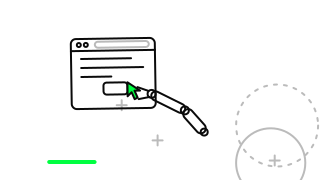
An agent browser is AI software that does a job a person has given it by moving around websites on their behalf: it fills in a form, compares a product, looks for an appointment. In 2026 this work is moving less into a separate agent browser and more into existing browsers and assistants. For a site owner the result is this: you now need to think about your site as an agent will read it, not only as a person sees it. Orderly forms, quick pages, clear data and plain bot rules are the four legs of that preparation.
According to Cloudflare's post of 30 September 2026, daily requests from AI agents rose by more than 1,700 percent in a year, and more than half of internet traffic is not human. That figure says nothing about your own site's traffic, but it shows the direction.
Below you will find how agents differ from ordinary bots, what happened to ChatGPT Atlas, what WebMCP adds, how to prepare your site, the mistakes made most often and when this preparation is more than you need.
How does an agent browser differ from an ordinary bot?
A search engine bot collects a site once, and people then search that collected copy. An agent works for one person's request at that moment. Cloudflare calls this class Agent and says it works in real time on behalf of a person, with a human often waiting on the other end.
The difference matters in practice. If an agent meets a half-finished form, a menu that will not open or a very slow page, the waiting person's task stays undone and the agent will probably move on to another site. Think of a customer: not someone only looking in the window, but someone who has come to buy.
What happened to ChatGPT Atlas?
According to MacRumors' report of 10 July 2026, OpenAI announced on 9 July that it would sunset the ChatGPT Atlas browser, with the shutdown date given as 9 August 2026. OpenAI gave no reason.
The news shows one thing: agent features may not stay tied to a separate browser. We do not know which product will last. That is why preparing your site by general principles, not for a single product, is the sounder investment.
How much traffic is no longer human?
Cloudflare's post of 30 September says that, for the first time, more than half of internet traffic was not human. Daily requests from agents rose by more than 1,700 percent in a year. This is a measurement on Cloudflare's own network; the share on your site may differ a great deal.
To recognise agent requests, Cloudflare mentions a method called Web Bot Auth: agent requests can be signed cryptographically, so the sender can be verified. Another tool on its list is Markdown for Agents, which we do not go into here. There is a separate control for the Agent category, and on new domains Agent bots are blocked by default on pages with ads.
What do WebMCP and Kitesurf mean for a site owner?
According to Cloudflare's Kitesurf update of 28 September 2026, Kitesurf is an agent browser that runs on Cloudflare Workers and supports WebMCP. With WebMCP a site offers its functions to agents as callable tools. The example in the post is `searchFlights()`: instead of clicking pixels on a screen, the agent calls a function.
Cloudflare says site owners can turn WebMCP on with one switch. We do not know when it will matter for your business, and whether it will spread is uncertain. But the idea is plain: instead of the agent working out the screen, the site says clearly what it offers.
How do you prepare your site for agents?
The first job is to do what is already good for people: forms with clear labels, understandable field names and plain error messages. An agent looks at a form as a person does, and if it cannot tell what a box wants, it fills it in wrongly. Keep pages quick to load; our site speed tool can measure them and find the slowest.
The second job is to give your information in a form machines can read: mark price, stock, opening hours and contact details with structured data. Our structured data check shows whether your markup is valid. The third job is to decide your bot rules, separating which bot has come for what.
- Clear labels and plain error messages on forms
- Measure page speed and fix the slowest pages
- Mark price, hours and contact details with structured data
- Separate bot rules into search, agent and training
- Give important actions (booking, ordering) a clear path
What mistakes are made here?
The most common mistake is blocking every bot with one rule. An agent may be coming on your customer's behalf, and turning it away may turn away a sale. The second is judging the design alone and never testing whether the form actually works.
The third is preparing for one product by name. The Atlas case showed that a product can be shut down not long after such an announcement. The fourth is not measuring speed; a slow page harms an agent and a person in the same way.
- Blocking every bot with one rule
- Judging a form only by how it looks
- Preparing for a single agent product
- Not measuring page speed
When is this preparation unnecessary or the wrong choice?
If your site is only an introductory page with no form or transaction, no special preparation for agents is needed; basic speed, correct information and clear contact details are enough. Building something new like WebMCP straight away would also be premature for most small businesses.
The wrong choice is building a separate site for agents. One site should serve people and agents alike. Fix your existing forms and speed first, and look at new tools afterwards.
In short: agents arrive at your site on behalf of people, their share of traffic is growing and nobody knows which product will last. So prepare by principle, not by product: clear forms, quick pages, structured information and separated bot rules. If you would like to read together how your site stands today, we are glad to have a discovery conversation with you at rabbitclip.
FAQ
What exactly is an agent browser?
It is AI software that does a task a person has given it, on that person's behalf, across websites. Cloudflare defines the class as bots that work in real time for a person. It can fill in forms, compare products and search.
Has ChatGPT Atlas really shut down?
According to MacRumors, OpenAI announced the decision on 9 July 2026 and gave 9 August 2026 as the shutdown date. OpenAI did not explain its reasons.
Do I need to set up WebMCP?
Most small businesses do not need it right away. Cloudflare says site owners can switch WebMCP on with one switch, but whether it will spread is uncertain. Fix your forms and speed first.
Should I block agent bots?
It depends. If an agent comes on a customer's behalf, blocking it may lose that customer. Cloudflare offers a separate control for the Agent category; judge search, agent and training bots separately.
Sources
The specific facts in this article rest on these official pages; check them for the current position.