WordPress Maintenance Plan: Updates, Backups, Security
A WordPress maintenance plan covers regular updates, backups, security scans and monitoring. Here is what gets done, and how often.
rabbitclip teamPublished: 6 min read
Short answer
A WordPress maintenance plan is a written routine that covers keeping the core software, plugins and theme up to date, taking regular backups, scanning for security problems and watching whether the site is up. The aim is to prevent trouble rather than react after it arrives, or at least to recover quickly when it does. A plan that runs well looks dull; the dullness is the sign that it works.
This article explains the parts of a maintenance plan and how often each is carried out. We have a separate piece on the legal and commercial scope of a maintenance agreement; here the focus is the routine itself: when, in what order and with what checks.
What parts make up a WordPress maintenance plan?
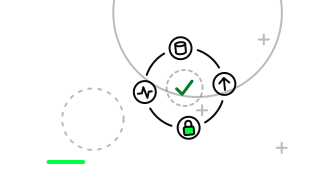
There are four parts. Updating means moving the core software, plugins and theme to new versions. Backing up means keeping a copy of both the files and the database in a safe place. Security means closing known holes, reviewing user accounts and permissions, and scanning for suspicious activity. Monitoring means watching whether the site is up, whether forms work and how indicators such as speed are holding.
The four depend on one another. If no backup is taken before an update, a faulty update may be impossible to reverse. Without monitoring, a break caused by an update is noticed only when a visitor complains. The plan should therefore be thought of as a whole, not part by part.
How often are updates made, and how?
WordPress core, plugins and themes release updates regularly, and some of them close security holes. Leaving updates waiting for a long time means leaving a known hole open. In practice the interval depends on how critical the site is; busy sites that take orders justify shorter intervals.
Updates are not applied straight to the live site. A backup is taken first, the update is tried on a staging copy with the same structure where possible, and only if nothing breaks does it go live. This order matters most on sites with many interdependent plugins, where a new version of one plugin may clash with another.
A short checklist after each update is part of the job: does the home page open, does the contact form send a message, does the payment flow work? These three questions show whether an update has quietly broken something.
How is a backup plan set up?
A good backup has three qualities: it is taken regularly, it is kept somewhere separate from the site's own server, and it has been tested for restoring. A backup stored on the same server goes down with the site if the server fails or is attacked. It needs to live in a different location.
How often to back up depends on how often the site changes. For a brochure site updated a few times a year, infrequent backups may do; for a shop taking orders every day, the database needs backing up far more often. The yardstick is how much time you can afford to lose.
Testing a restore is the most skipped step. If a backup exists but will not open, there is no backup. Restoring to a test environment at set intervals and seeing the site come up is the only proof that the plan works.
What do security and monitoring cover?
Security is not a setting made once and closed; it is a check repeated at intervals. Most attacks come in through known holes in outdated plugins or administrator accounts with weak passwords. The routine list is therefore short and concrete; the items below form the foundation for most sites.
Monitoring starts with an outside check on whether the site is up. When the site goes down or shows an error page, someone must be told. To that is added regular testing of the contact form and, where present, the payment flow, because a form can fail silently even when the site is open.
Speed, domain and certificate expiry dates are also part of monitoring. An expired certificate shows visitors a warning screen. Tying these dates to a calendar is one of the simplest and most useful monitoring steps.
- Removing unused plugins and themes
- Reviewing administrator accounts and permissions
- Requiring strong passwords and two-step verification
- Scanning for malicious code
- Limiting login attempts
Which mistakes are common in a maintenance plan?
The most common mistake is postponing maintenance until a crisis arrives. Updates pile up, plugins fall out of step and one large update finally breaks the site. Small regular steps are safer than rare big ones.
The second mistake is leaving unused plugins in place. A plugin that is deactivated but still installed can also carry a hole. The third is trusting a backup that has never been tested. The fourth is leaving it unclear who does the maintenance: if everyone assumes someone else is doing it, nobody does. The plan should be written down and every task should have an owner.
Finally, treating monitoring as unnecessary is a common error. If the site breaks at night and nobody notices until morning, the visitors and orders of those hours are lost. Even simple uptime monitoring cuts that risk noticeably.
When is WordPress maintenance not enough?
Maintenance makes sense on a sound foundation. If the site rests on an old theme, abandoned plugins and untidy custom code, regular upkeep delays the problem but does not solve it. On such a site every update is a risk, and over time the cost of upkeep approaches the cost of a new build.
The link between the site and the business should also be reviewed. If WordPress has stopped meeting the site's needs, for example because complex product logic or custom workflows are required, reviewing the structure may be better than continuing to maintain it. That decision can come out of the plan itself: once it produces regular reports, it becomes visible where problems cluster.
A WordPress maintenance plan has four parts and each leans on the others: update, back up, protect, monitor. Put the plan in writing, give each task an owner and a frequency, and test the backup by restoring it. If you would like to look together at the current state of your site's maintenance, we are glad to arrange a discovery conversation with rabbitclip.
FAQ
How often should a WordPress site be updated?
Security updates should not be delayed; for the rest, regular short intervals make sense. Busy sites that take orders should use shorter intervals. A backup before every update is important.
Is a plugin enough for backups?
A plugin makes it easier but is not enough alone. The backup should be stored away from the site's server and its restore should be tested. Otherwise the backup only appears to exist.
What happens if maintenance is neglected?
Security holes stay open, plugins fall out of step and the site may one day break quietly. A backlog of updates applied all at once raises the risk. Regular small steps reduce it.
Can we do the maintenance ourselves?
Basic updates are possible, but setting up backups, a staging copy and monitoring takes some technical knowledge. If your time and know-how are limited, handing the job to a team keeps the plan from lapsing.