Business Mobile App Development Process, Step by Step
The business mobile app development process runs from discovery and scope to design, build, testing and store release. Here is what is decided at each step.
rabbitclip teamPublished: 6 min read
Short answer
The business mobile app development process has seven main steps: discovery, scoping, design, development, testing, store release and maintenance after launch. Each step produces an output, and the next one starts only once that output is approved. The process looks linear, but in practice it contains loops back. A good project is healthy because it makes those loops early and cheaply, not because it never makes them.
What separates a business app from a personal one is that behind it stand several decision makers, existing systems and an approval chain with rules. This article explains what an owner or manager decides at each step, where time is lost, and when the whole process is unnecessary.
What questions does the discovery stage answer?
Discovery makes clear which problem the app is meant to solve. Who is the user, when and why will they open it, and why can a mobile site or an existing tool not meet that need? A project that starts without honest answers often ends in an app nobody opens once it is live.
Existing systems are mapped at this stage too: where does user data live, which internal system must the app talk to, whose approval is needed? Think of a membership and booking app for a spa group. If booking information sits in a separate piece of software at each branch, the real job of the app is to talk to that software safely. The number and nature of these connections shape every later step.
How is scope set, and what goes into the first release?
Scope is the written list of features in the first release. The most common mistake is trying to fit everything into it. The healthier approach is to ship the smallest version that completes the user's core task, then order the rest by real usage data.
When scope is written, features fall into three groups: essential, nice to have and later. If that split is not written down, every request added along the way quietly enlarges the scope. Scope creep is the most common reason projects run late.
- Write the user's core task in one sentence
- Label every feature as essential, nice to have or later
- List the internal systems and providers the app will connect to
- Decide in advance how a scope change is requested
What happens during design and prototyping?
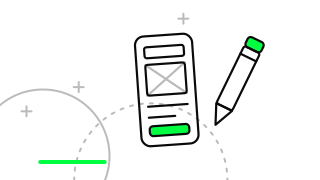
Design is not only appearance. It is building the flow. Which screens does the user pass through to finish a task, what do they see when something fails, what happens when the connection drops? These questions are tried in a clickable prototype before any code is written, because changing a flow on paper is far cheaper than changing it in code.
The prototype is shown to a few real users. People inside the organisation know the flow and do not wander off it. What you need to learn is where someone seeing the product for the first time hesitates. Accessibility is considered here as well: readable text size, enough contrast and comfortable tap targets are not details to add later.
How do development and testing proceed?
Development runs in short periods, and a working piece is shown at the end of each. That way surprises come early rather than late. Testing is not a stage left to the end either. It travels with development: automated checks, trials on real devices and a look at different screen sizes.
In business apps, testing matters most for the connections. Even if a payment, notification or internal-system link works well, you need to see what happens on a slow network or during an outage. If a flooring manufacturer's field team mostly uses the app on site with a weak signal, offline behaviour is the heart of the product.
Acceptance testing is done with the business's own team. The people who know the real workflow find gaps the technical team cannot see. If the time given to this step is cut, the faults are found after the app reaches the store.
How are store release and the period after it managed?
Submitting to the store is a stage with its own review process, and its timing cannot be predicted exactly. For that reason the launch date is planned with room left for review. Store rules and privacy declarations are also prepared before release, since a missing declaration can lead to the app being rejected.
Release is the beginning of the work, not the end. In the first period, crash reports, user reviews and basic usage data are watched. The app goes on living with operating system updates, library renewals and new features. If the maintenance plan is not discussed before release, the app quietly ages.
What mistakes are common in a business app process?
The first mistake is skipping discovery and going straight to design. A project that does not know the problem builds a handsome but unnecessary product. The second is bringing decision makers in late. A senior objection in the middle of development is the most expensive change there is.
The third mistake is focusing only on the launch date and not planning maintenance. The fourth is moving on assumptions without ever speaking to users. The fifth is building a structure that depends on a single person. The code, the access credentials and the store accounts must always be in the organisation's own name.
When is a business app not needed?
Not every need calls for an app. Where users read information now and then and need no device features such as the camera or notifications, a well-built mobile site or web app is often enough. And if you are unsure how often users will come back to your product, a small trial first is the sensible course.
The test: does the user do this task again and again, and do device features add value? If both answers are yes, an app makes sense. Otherwise the investment is better spent on another channel. To see how your current site behaves on mobile, our site speed test gives a free first impression.
The business app process runs from discovery to maintenance in seven steps, and most time and money are lost in vague scope, late decisions and unplanned maintenance. Write the problem down clearly, keep the first release small, involve decision makers early and discuss maintenance before launch. If you would like to sharpen your app idea together, you are welcome to arrange a discovery conversation with rabbitclip.
FAQ
How many steps are there in the business mobile app development process?
Usually seven main steps: discovery, scope, design, development, testing, store release and maintenance. Each step has an output that needs approval.
Which features belong in the first release?
The smallest set that completes the user's core task. The rest is added in later releases, guided by real usage data.
How long does store review take, and how should the launch date be planned?
Review time cannot be predicted and may vary. Plan the launch date with room for a possible rejection and fix.
Is maintenance needed after the app is published?
Yes. Operating system updates, library renewals and bug fixes need steady attention. The maintenance plan should be discussed before release.
When is a mobile site enough instead of an app?
When users read information occasionally and need no device features. Repeated workflows and device features are what make an app worthwhile.